Drive MetaDefender Drive Smart Touch v1.5.0 inclui novas melhorias para proteger os dispositivos de fornecedores ou prestadores de serviços utilizados nas operações diárias antes de se ligarem a sistemas críticos. Esta versão apresenta uma abordagem segura à transferência de ficheiros com visibilidade clara e gestão de códigos de acesso, proporcionando aos operadores no terreno proteções mais robustas em todas as etapas do processo de tratamento de ficheiros.
Fluxo de trabalho de armazenamento Secure com visibilidade clara
Com esta versão, MetaDefender Drive Smart Touch oferece um fluxo de trabalho de armazenamento de ficheiros seguro que permite que apenas ficheiros fiáveis e verificados entrem em sistemas críticos. Esta funcionalidade foi concebida para uma integração perfeita com MetaDefender Kiosk.
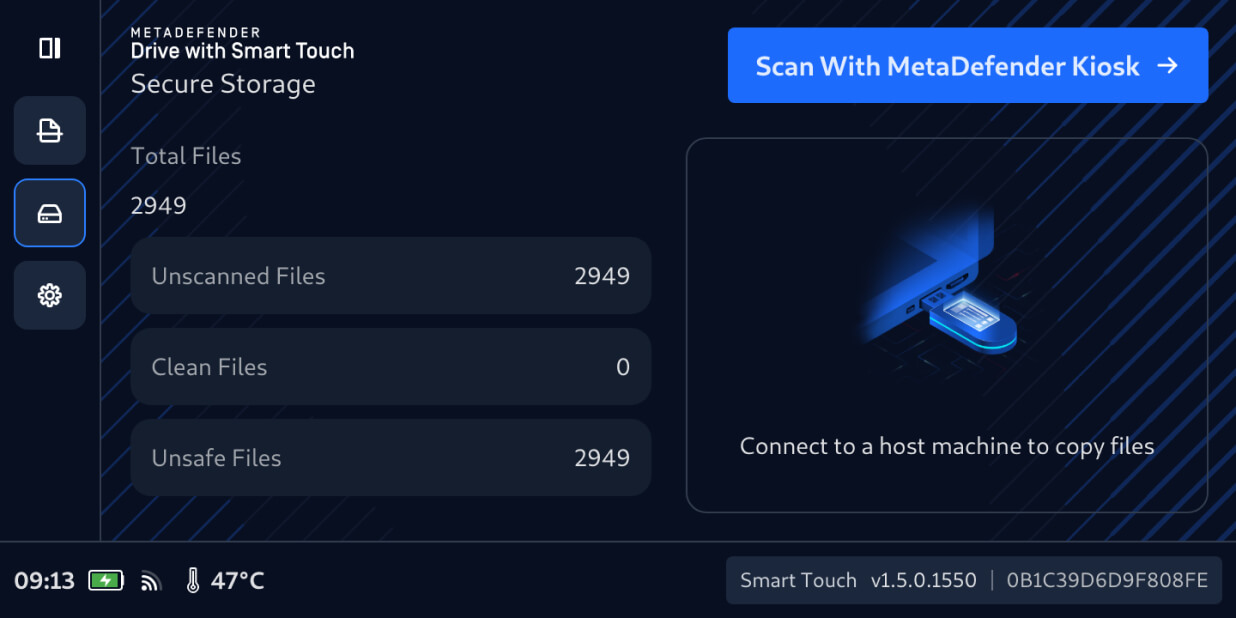
Os utilizadores podem agora transferir ficheiros de forma segura de dispositivos temporários paraDrive MetaDefender Drive o Smart Touch, tal como fariam com uma USB normal. Os ficheiros recém-transferidospermanecem ocultos por predefinição no Secure . Não é possível aceder a eles para partilha ou distribuição até que sejam analisados e verificados por um MetaDefender Kiosk.
Verificar ficheiros não analisados comKioskMetaDefender Kiosk
Para verificar se os ficheiros armazenados de forma segura podem ser utilizados com segurança, ligue oMetaDefender Drive Smart Touch que contém os ficheiros a um MetaDefender Kiosk em funcionamento e, em seguida:
1. No MetaDefender Drive interface Smart Touch, toque em«Analisar com MetaDefender Kiosk».
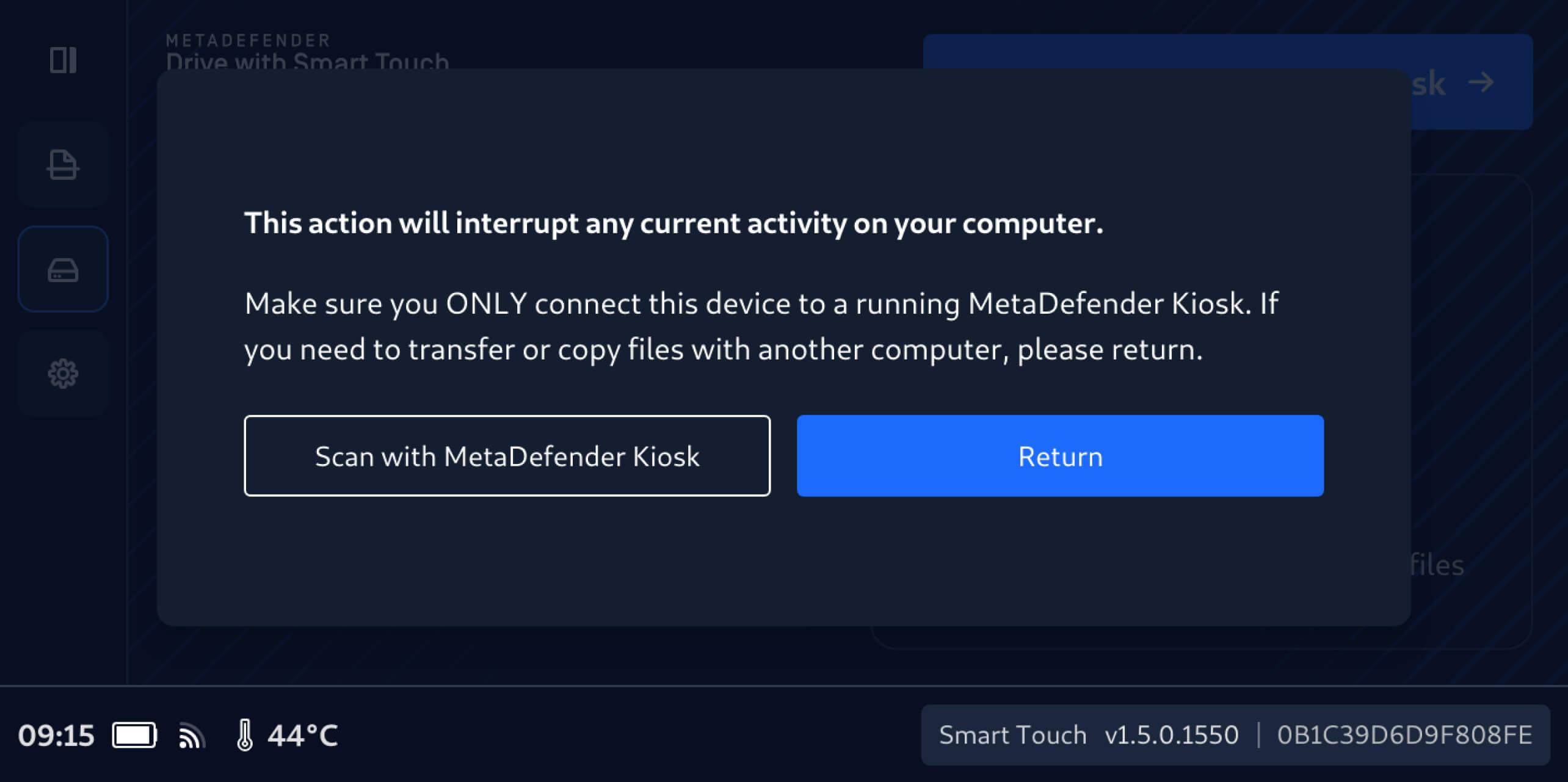
2. É importante não ligarDrive MetaDefender Drive Smart Touch a outro computador até que os ficheiros armazenados de forma segura tenham sido analisados e verificados.
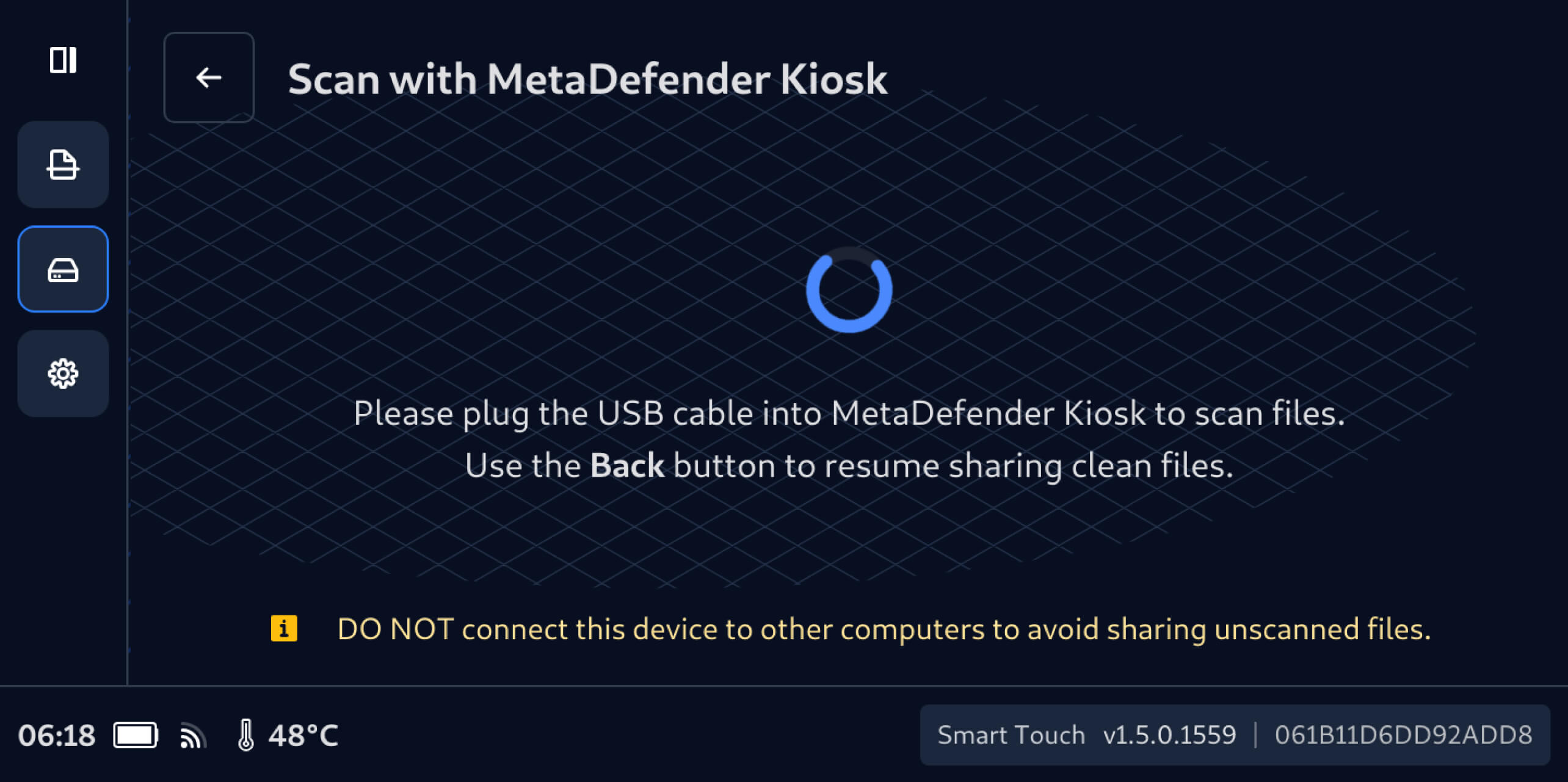
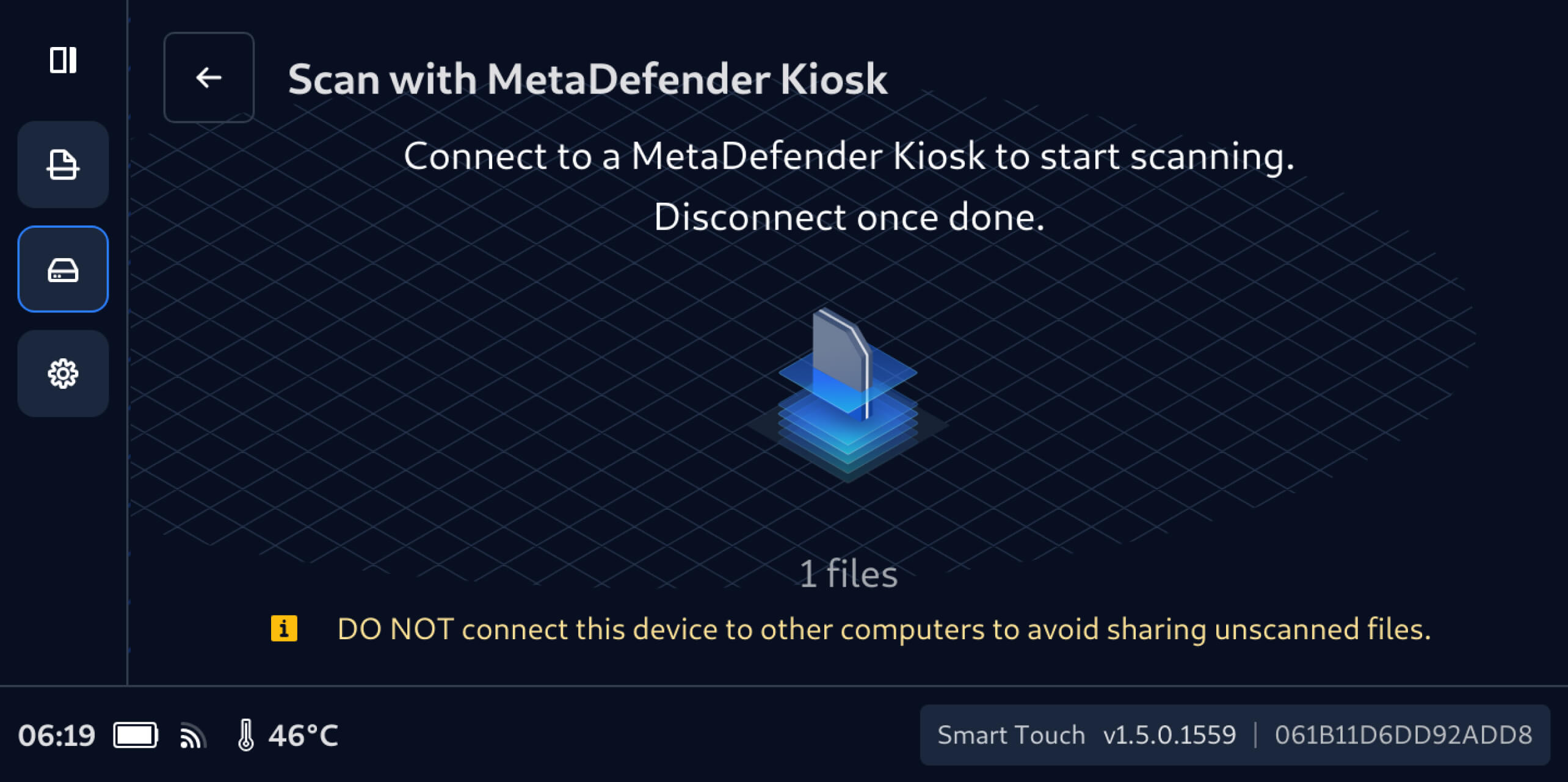
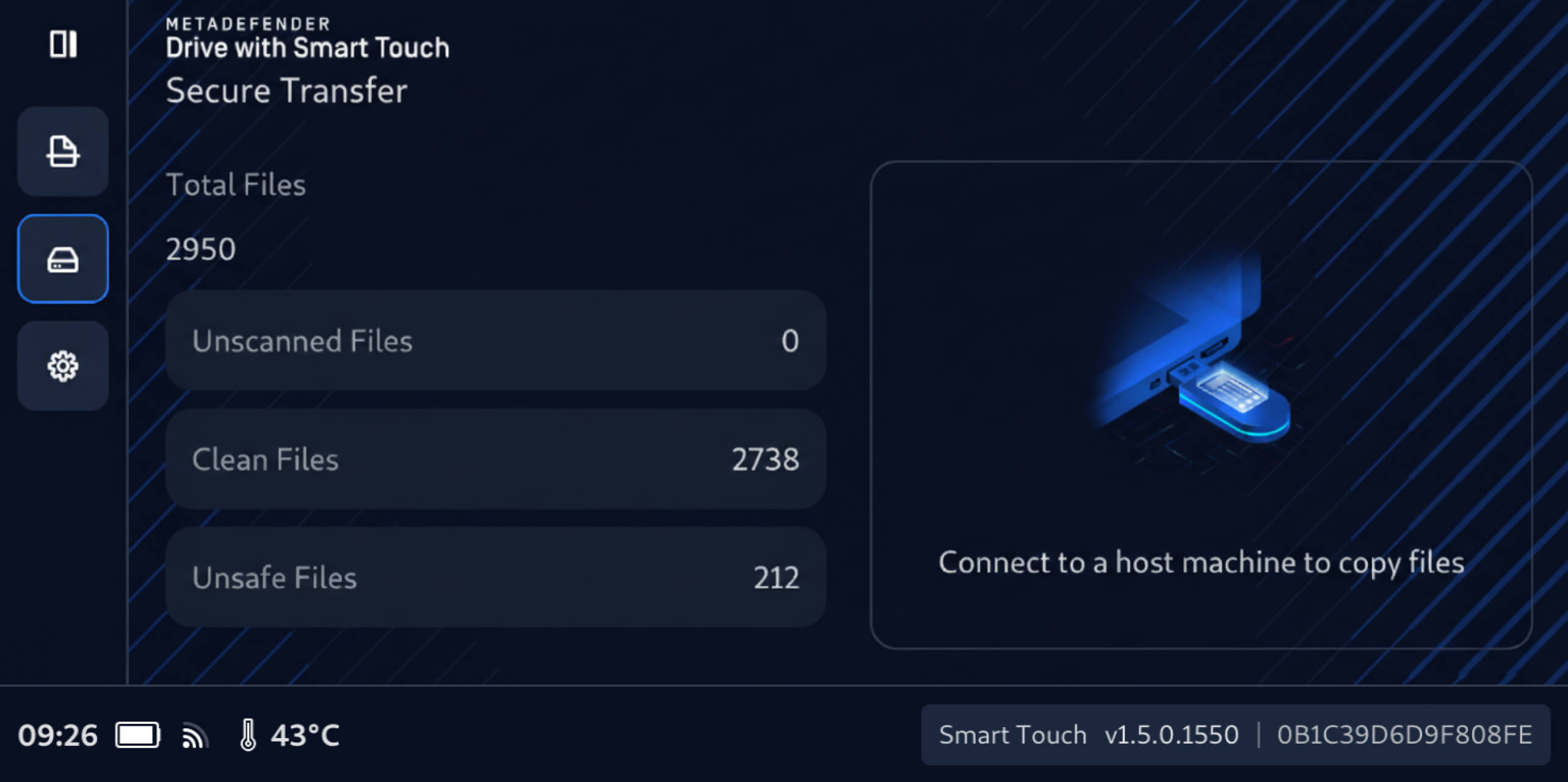
3. Após a ligação a um MetaDefender Kiosk, o número de ficheiros não digitalizados, que anteriormente estava oculto, será apresentado no MetaDefender Drive ecrã Smart Touch, e esses ficheiros estarão prontos para serem digitalizados através do MetaDefender Kiosk ligado.
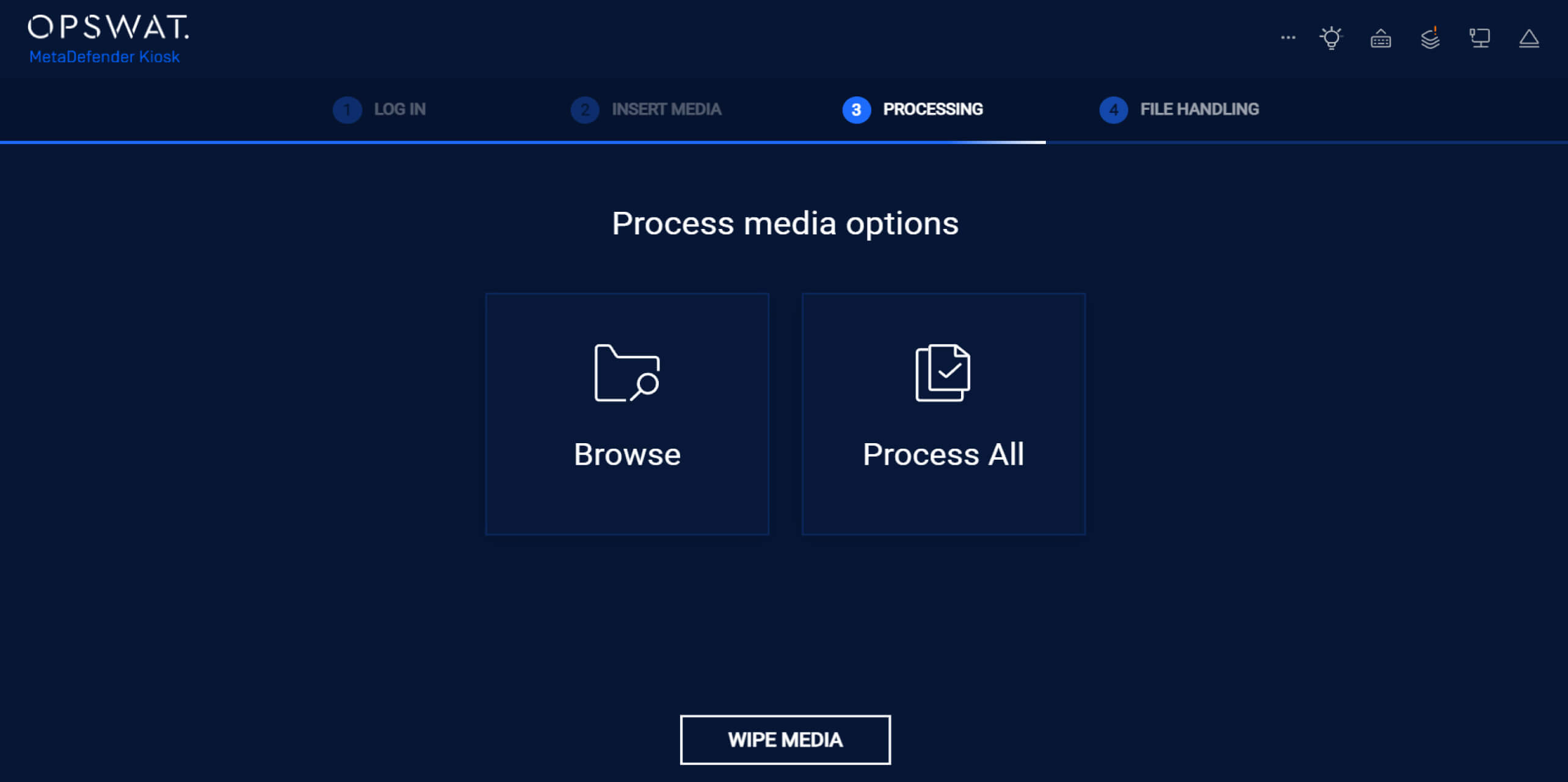
4. NaKiosk do MetaDefender Kiosk , toque em «Processar tudo» para verificar todos os ficheiros ainda não analisados no MetaDefender Drive Secure Smart Touch Secure .
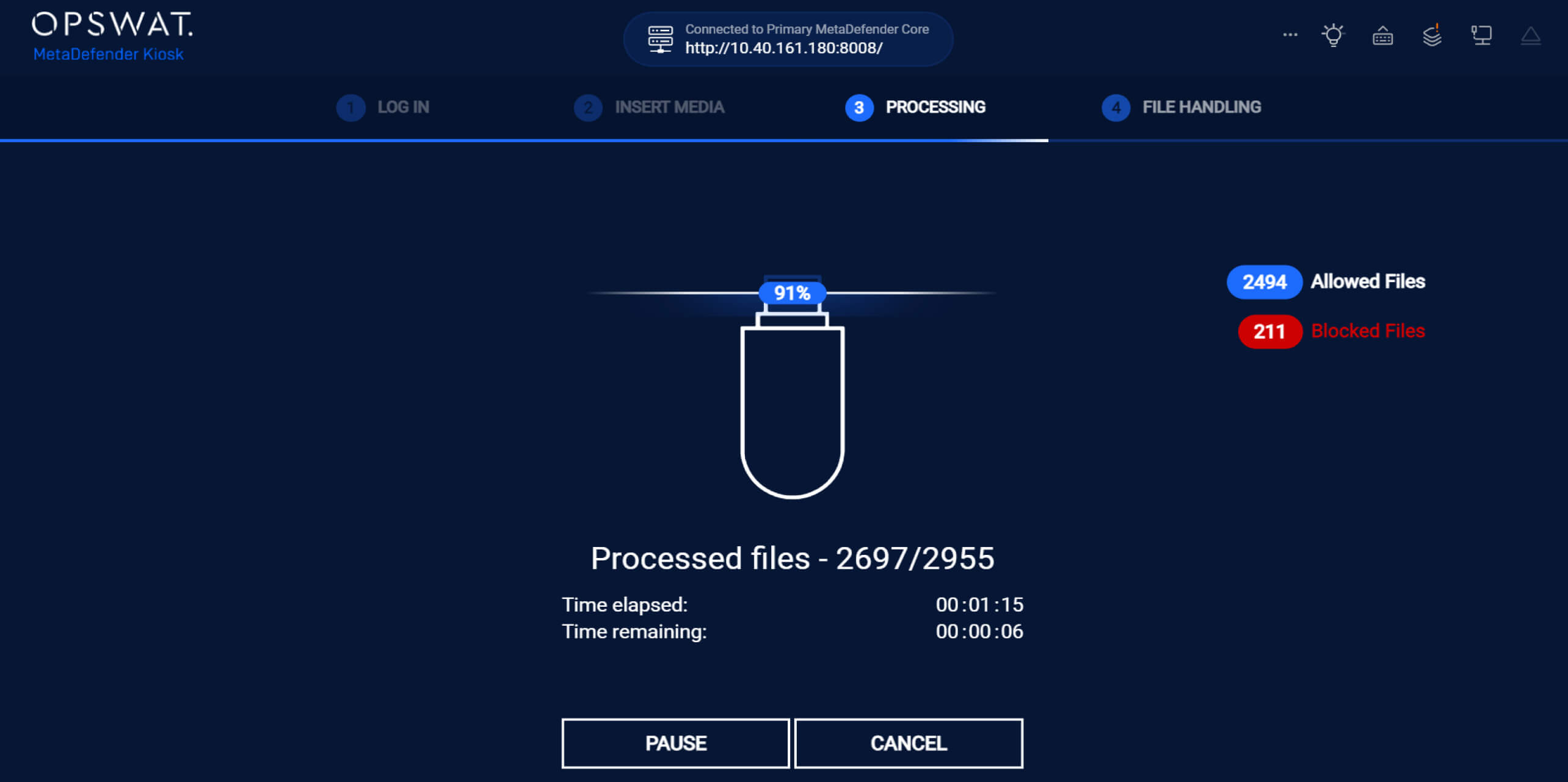
5. Durante a verificação, MetaDefender Kiosk resultados em tempo real, indicando claramente o número de ficheiros permitidos e bloqueados.
6. Após processar todos os ficheiros, MetaDefender Kiosk o número de ficheiros permitidos e bloqueados.
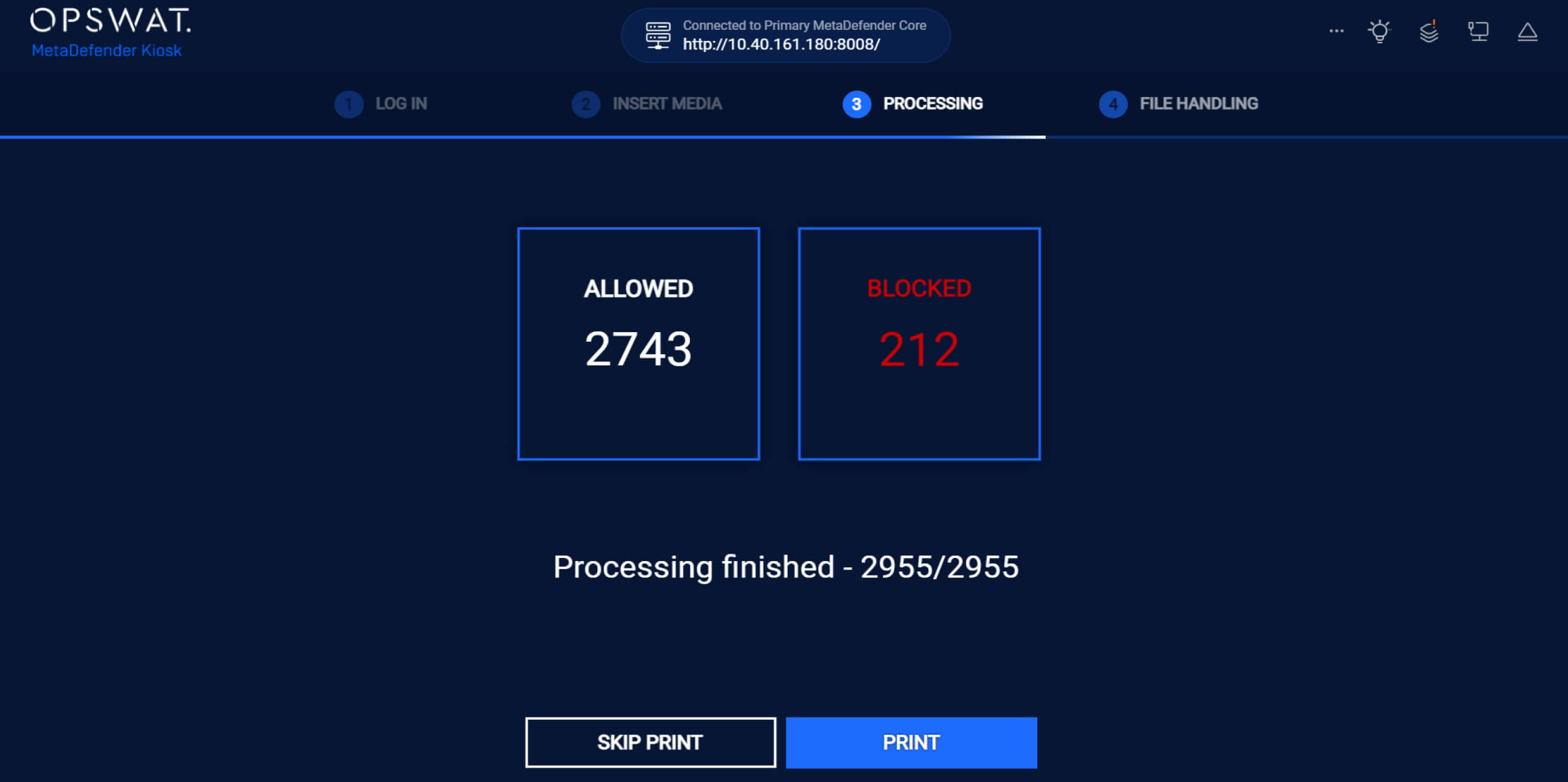
Assim que a digitalização estiver concluída:
- Os ficheiros verificados como limpos são explicitamente assinalados como seguros e disponíveis para partilha
- Os ficheiros não seguros permanecem bloqueados e não podem ser acedidos nem distribuídos
MetaDefender Drive gestão inteligente de códigos de acesso
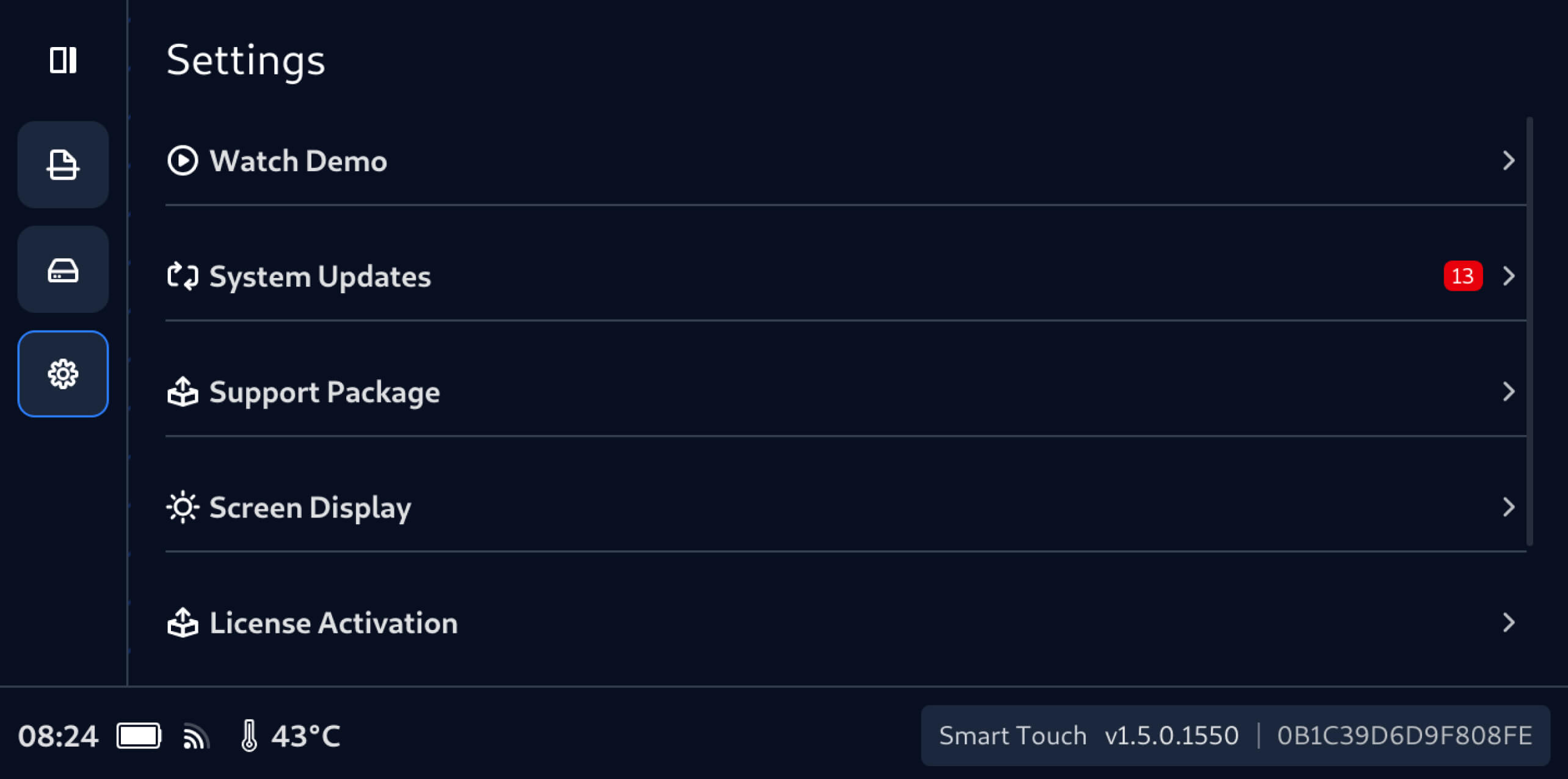
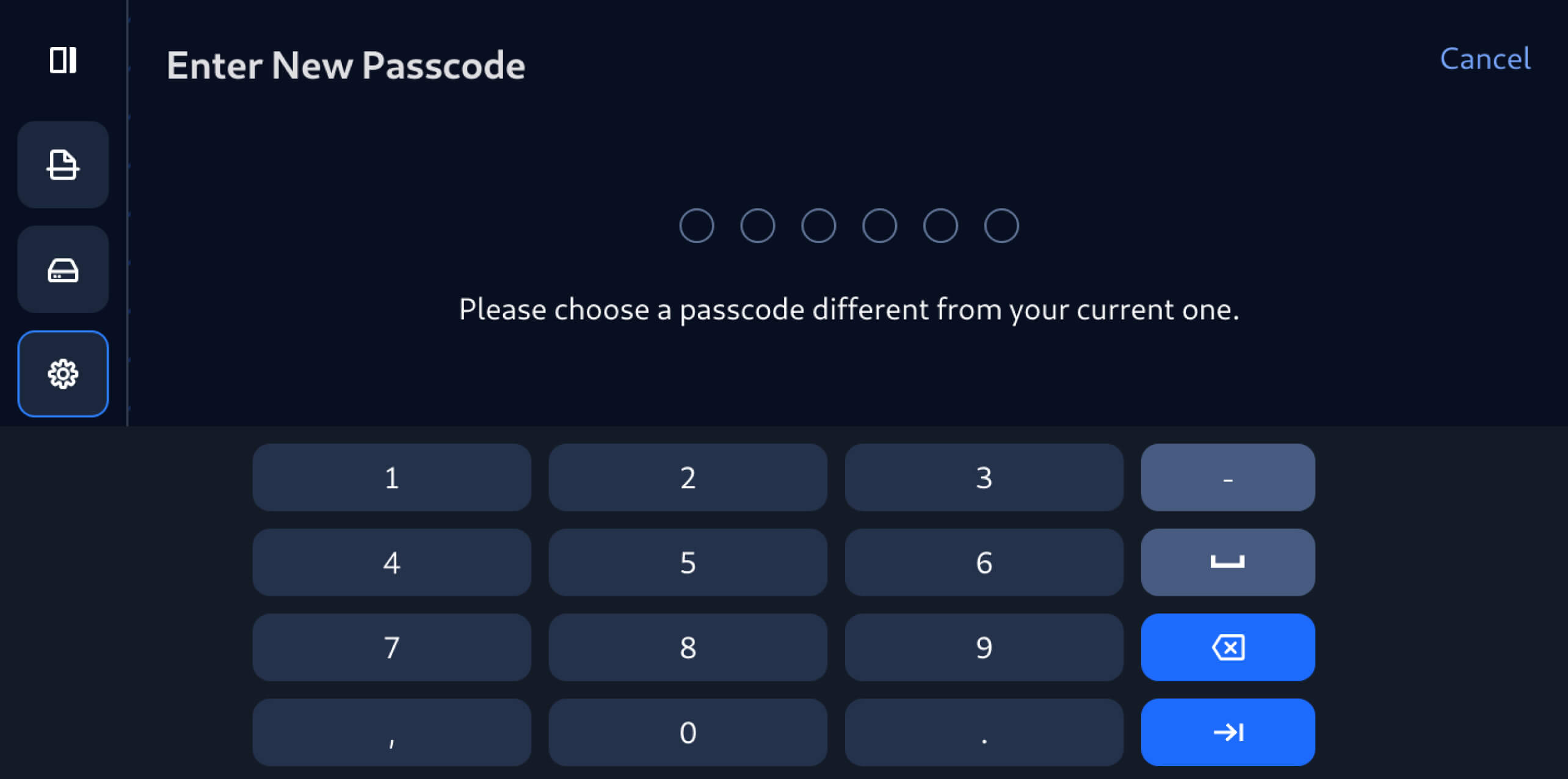
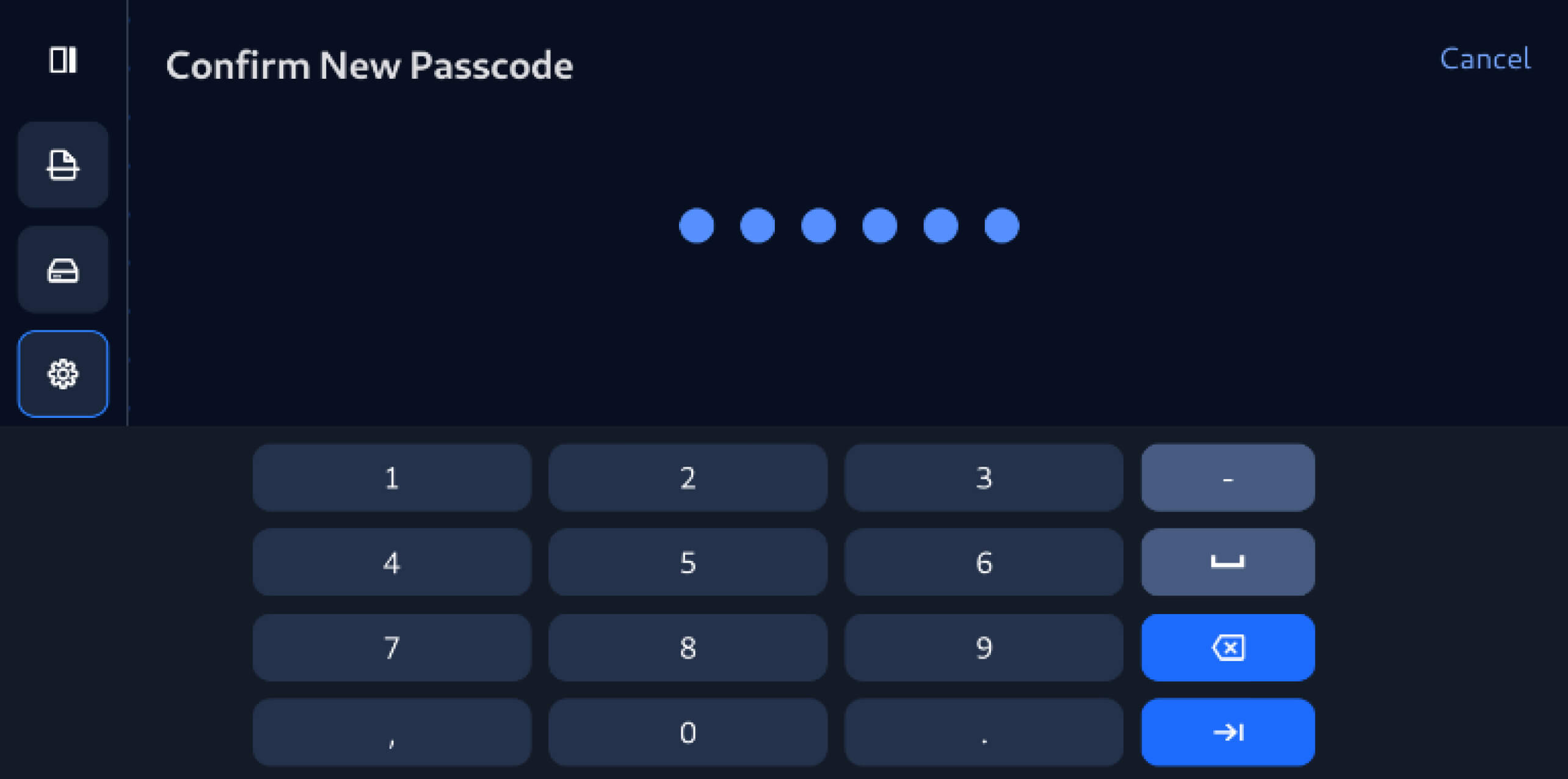
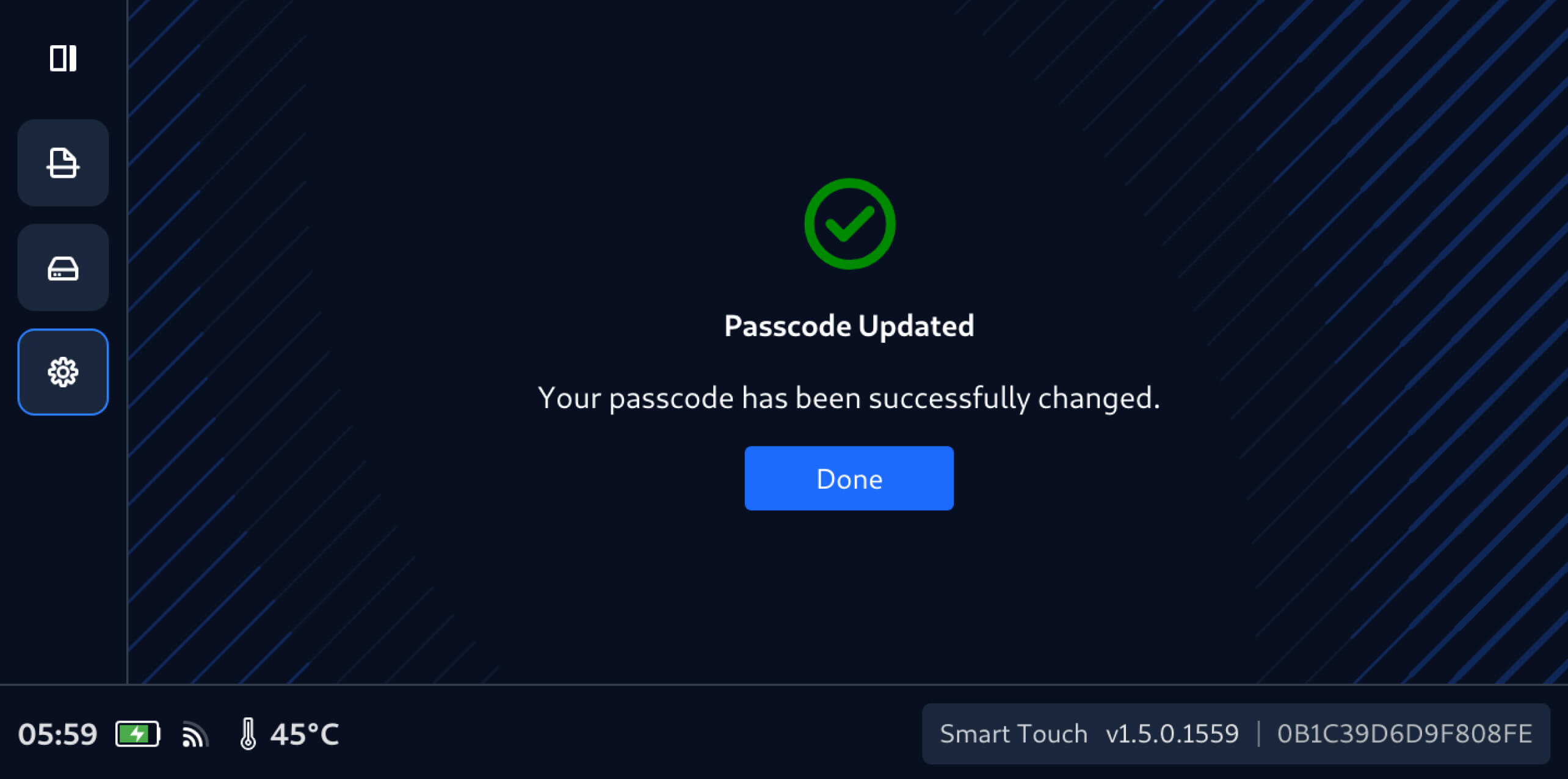
Esta versão do MetaDefender Drive Smart Touch introduz também a gestão da senha diretamente no dispositivo, permitindo aos utilizadores atualizar a senha do Smart Touch diretamente a partir do dispositivo, em poucos passos simples:
Detalhes da publicação:
- Produto: MetaDefender Drive Smart Touch
- Data de lançamento: 19 de janeiro de 2026
- Notas de lançamento: Saiba mais aqui
Para atualizarDrive MetaDefender Drive o Smart Touch, toque em «Atualização do sistema» no ecrã inicial para aceder à vista centralizada de atualizações.